


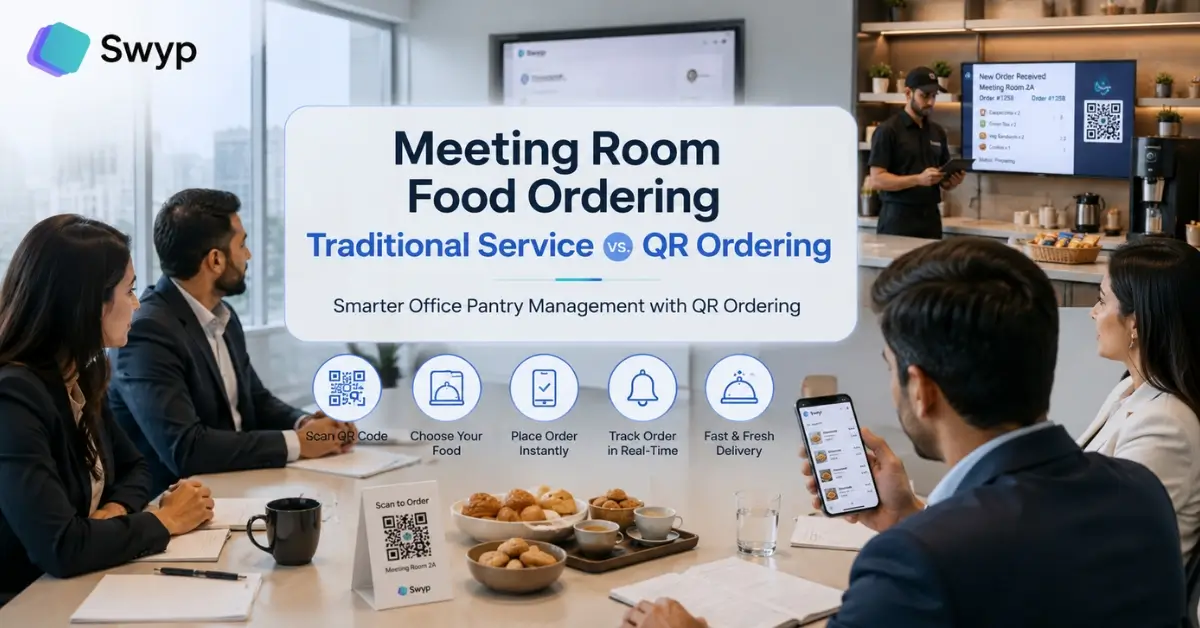

Meeting rooms are where ideas are shared, strategies are built, and important business decisions are made. However, something as simple as ordering tea, coffee, snacks, or lunch can interrupt the flow of a productive meeting. In many organizations, employees still rely on phone calls, messaging apps, or manual pantry requests. These traditional methods often create delays, miscommunication, and unnecessary interruptions.
Modern workplaces are now adopting QR code meeting room food ordering systems that allow employees to place pantry orders directly from the meeting room. With a simple QR code scan, attendees can browse a digital menu, customize their order, and send it instantly to the pantry team without leaving the discussion.
This article compares traditional meeting room food ordering with QR-based ordering and explains why businesses are switching to smarter pantry management solutions like Swyp.
What is Traditional Meeting Room Food Ordering?
Traditional meeting room food ordering usually depends on manual communication between employees and the office pantry staff. Orders are often placed through phone calls, reception desks, office assistants, emails, or messaging applications.
Although this approach has worked for years, it becomes inefficient as companies grow and meetings become more frequent. Every order requires human involvement, increasing the chances of delays and mistakes.
Common characteristics of traditional ordering include:
- Calling the pantry staff during meetings
- Sending requests through reception or office assistants
- Using WhatsApp or internal chat messages
- Writing pantry requests on paper
- Following up when orders are delayed
While these methods seem simple, they often consume valuable employee time and reduce meeting productivity.
Challenges of Traditional Meeting Room Food Ordering
Manual pantry ordering creates several operational problems that affect both employees and pantry teams. Even small delays can disrupt important discussions and reduce workplace efficiency.
Some of the biggest challenges include:
- Employees leaving the meeting to place an order
- Frequent interruptions during presentations
- Miscommunication between employees and pantry staff
- Incorrect food or beverage delivery
- Difficulty tracking multiple meeting room orders
- No record of previous pantry requests
- Increased workload for reception and office support teams
As organizations expand across multiple floors or office locations, these problems become even more noticeable.
What is QR Code Meeting Room Food Ordering?
QR code meeting room ordering replaces manual communication with a digital ordering experience. Every meeting room has a unique QR code placed on the table or wall. Employees simply scan the code using their smartphone to access the pantry menu.
Without installing any application, users can browse available food and beverages, select quantities, add notes if needed, and submit the order instantly.
The pantry team receives the request immediately and prepares the order without requiring any phone calls or follow-up messages.
A QR ordering system typically includes:
- Digital pantry menu
- Real-time order placement
- Order customization
- Instant pantry notifications
- Order status tracking
- Digital order history
- Fast and contactless ordering
The entire process usually takes less than a minute.
Traditional Service vs. QR Ordering: A Detailed Comparison
Both systems serve the same purpose, but the experience is significantly different. Modern workplaces benefit from automation, speed, and improved communication.
| Feature | Traditional Ordering | QR Code Ordering |
|---|---|---|
| Order Placement | Phone calls or manual requests | QR code scan |
| Meeting Interruptions | High | Minimal |
| Order Accuracy | Depends on communication | High accuracy through digital selection |
| Speed | Slower | Faster |
| Tracking | Difficult | Real-time |
| Human Dependency | High | Low |
| Menu Updates | Manual | Instant digital updates |
| Order Records | Usually unavailable | Automatically stored |
QR ordering removes unnecessary steps, helping employees stay focused on the meeting instead of the ordering process.
Benefits of QR Code Ordering for Meeting Rooms
Businesses are adopting QR ordering because it improves both employee experience and pantry operations. Instead of relying on manual coordination, the entire workflow becomes organized and efficient.
Key benefits include the following:
1. Faster Ordering
Employees can place orders within seconds without interrupting the discussion.
2. Better Order Accuracy
Digital menus reduce misunderstandings since employees select exactly what they want.
3. Improved Productivity
No one needs to leave the meeting room or make multiple follow-up calls.
4. Contactless Experience
QR ordering provides a hygienic, touch-free ordering process.
5. Real-Time Pantry Management
Pantry staff receive orders instantly and can prioritize requests more efficiently.
6. Easy Menu Management
Office administrators can update food items, pricing, or availability without printing new menus.
7. Order History and Reporting
Digital records help businesses analyze pantry consumption and improve inventory planning.
How QR Ordering Improves Office Pantry Management?
Office pantry management is more than serving tea and coffee. It involves inventory control, order tracking, staff coordination, and timely delivery.
A QR ordering system connects employees, meeting rooms, and pantry staff through one centralized platform.
This improves operations by:
- Reducing manual communication
- Organizing pantry workflows
- Preventing duplicate orders
- Monitoring order volumes
- Improving delivery times
- Supporting inventory planning
- Generating useful operational reports
As a result, pantry teams spend less time handling requests and more time delivering excellent service.
Why Employees Prefer QR Code Ordering?
Modern employees expect workplace technology to simplify everyday tasks. QR ordering aligns with this expectation by providing a quick and user-friendly experience.
Employees appreciate QR ordering because they can:
- Order directly from their meeting room
- Browse the complete menu before ordering
- Customize beverages or meals
- Avoid calling pantry staff
- Save time during important meetings
- Receive faster service
This convenience contributes to a better workplace experience and higher employee satisfaction.
Why Swyp is the Smarter Choice for Office Pantry Management?
Managing pantry requests manually becomes increasingly difficult as businesses grow. Swyp simplifies the entire process by providing an intelligent QR code pantry ordering solution designed specifically for modern workplaces.
With Swyp, every meeting room can have its own QR code, allowing employees to order refreshments instantly without disrupting meetings. Employees can also place pantry orders directly from their workstations, making food and beverage ordering convenient across the office.
Swyp helps organizations streamline pantry operations with features such as:
- QR code ordering for meeting rooms
- Employee seat-based pantry ordering
- Digital pantry menus
- Instant order notifications
- Real-time order tracking
- Simple menu management
- Order history and reporting
- Faster pantry service
- Improved workplace efficiency
Whether your office has a single pantry or multiple locations, Swyp helps create a seamless ordering experience for employees while making pantry operations easier to manage.
Is QR Code Ordering Better Than Traditional Pantry Service?
For most modern organizations, the answer is yes.
Traditional ordering methods rely heavily on manual communication, making them slower and more prone to errors. QR ordering eliminates these inefficiencies by automating the ordering process.
Businesses benefit from:
- Faster service
- Better communication
- Reduced operational workload
- Improved employee experience
- Higher order accuracy
- Digital reporting and analytics
- More efficient pantry management
Companies investing in workplace digital transformation often see QR ordering as a practical upgrade that delivers measurable improvements in daily operations.
Final Thoughts
Traditional pantry ordering has served workplaces for years, but it no longer meets the demands of modern offices where speed, convenience, and efficiency are essential. Manual phone calls, paper requests, and messaging apps create unnecessary interruptions that affect productivity and employee experience.
A QR code meeting room food ordering system transforms this process by enabling employees to order refreshments with a simple scan. It reduces errors, speeds up service, and gives pantry teams complete visibility into incoming orders.
For organizations looking to modernize their workplace operations, Swyp offers a smart office pantry management solution that combines QR code ordering, digital menus, real-time order tracking, and streamlined pantry workflows. The result is a more organized pantry, happier employees, and meetings that stay focused on what matters most.
Frequently Asked Questions
1. How does QR code meeting room food ordering work?
Employees scan a QR code placed inside the meeting room, browse the digital pantry menu, select food or beverages, and submit the order. The pantry team receives the request instantly for preparation and delivery.
2. Does employees need to install an app?
No. Most QR ordering systems work directly through a mobile browser, allowing users to order without downloading any application.
3. Can employees order food from their desks?
Yes. Solutions like Swyp allow employees to place pantry orders from their workstations using dedicated QR codes, making ordering convenient throughout the office.
4. Is QR ordering suitable for large offices?
Absolutely. QR ordering is ideal for businesses with multiple meeting rooms, large employee teams, and busy pantry operations because it centralizes order management and improves efficiency.
5. Can office administrators update the menu?
Yes. Digital menus can be updated instantly to add new items, remove unavailable products, or adjust pricing without reprinting physical menus.